

Hey there! As a supplier of Thin Film Laser Cutting Machines, I know how crucial it is to keep these machines in top - notch condition. A well - maintained thin film laser cutting machine not only ensures high - quality cuts but also extends its lifespan, saving you both time and money in the long run. So, let's dive into some practical tips on how to maintain a thin film laser cutting machine.
Regular Cleaning
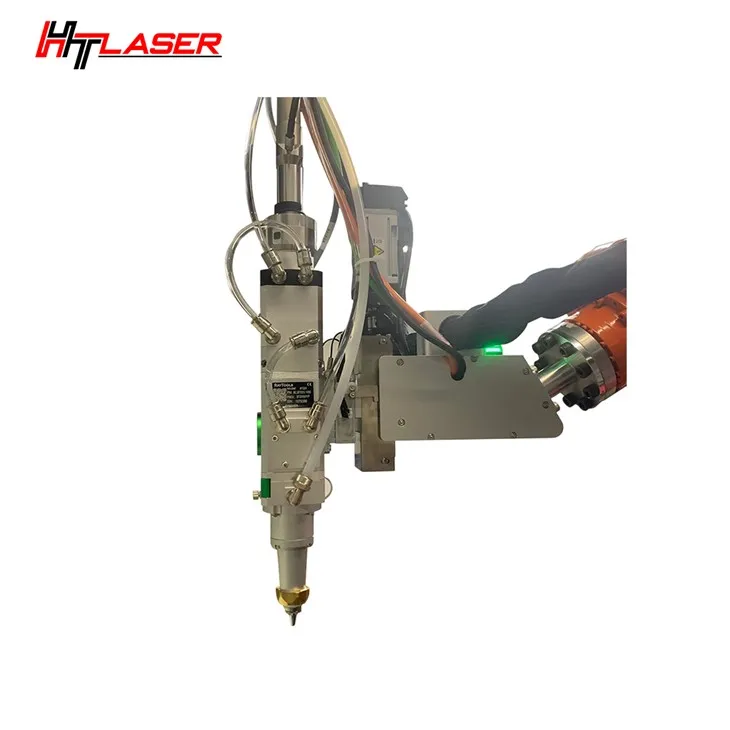
First off, cleaning is super important. The cutting head and the lens are the heart of the laser cutting process. Over time, dust, debris, and residue from the cutting process can accumulate on them. This can affect the laser beam's focus and intensity, leading to poor cutting quality.
For the cutting head, use a soft, lint - free cloth and a mild cleaning solution. Gently wipe the exterior of the cutting head to remove any visible dirt. Be careful not to apply too much pressure as you don't want to damage any sensitive components.
The lens is even more delicate. You should use a special lens cleaning solution and a microfiber cloth. Start from the center of the lens and wipe in a circular motion towards the edges. This helps to prevent scratches. Remember, a dirty lens can cause the laser to scatter, resulting in uneven cuts or even burning of the thin film.
The machine's worktable also needs regular cleaning. After each cutting job, use a brush to sweep away any debris. You can also use a vacuum cleaner to get rid of the fine dust particles. A clean worktable ensures that the thin film lies flat during the cutting process, which is essential for accurate cuts.
Laser System Maintenance
The laser system is the power source of the machine. It requires special attention. Check the laser tube regularly for any signs of damage or leakage. If you notice any cracks or abnormal discoloration, it's time to replace the tube. A damaged laser tube can lead to a significant drop in laser power, affecting the cutting performance.
The cooling system is another critical part of the laser system. The laser generates a lot of heat during operation, and the cooling system helps to keep the temperature in check. Make sure the coolant level is always within the recommended range. You should also replace the coolant at regular intervals as per the manufacturer's instructions. A dirty or low - level coolant can cause the laser to overheat, which can damage the components and reduce the lifespan of the machine.
The laser power supply also needs to be inspected. Check the electrical connections to ensure they are tight and free from corrosion. Loose connections can cause power fluctuations, which can damage the laser system and other parts of the machine.
Mechanical Component Maintenance
The mechanical components of the thin film laser cutting machine, such as the guide rails, ball screws, and linear bearings, play a vital role in the machine's movement and accuracy.
The guide rails need to be lubricated regularly. Use a high - quality lubricant recommended by the manufacturer. Apply the lubricant evenly along the length of the rails. This helps to reduce friction and wear, ensuring smooth movement of the cutting head.

The ball screws are responsible for the precise positioning of the cutting head. Check them for any signs of wear or damage. If you notice any play or uneven movement, it might be necessary to replace the ball screws.
The linear bearings also need proper maintenance. Clean them regularly to remove any dirt or debris. Lubricate them with a suitable lubricant to ensure smooth operation.
Software and Control System Maintenance
The software and control system are what make the thin film laser cutting machine smart and efficient. Keep the software up - to - date. The manufacturer often releases software updates that can improve the machine's performance, add new features, and fix bugs.
Regularly back up the cutting programs and settings. This way, in case of a system failure or software crash, you can easily restore the data and get back to work quickly.
Check the control panel for any signs of damage or malfunction. If you notice any buttons that are not working properly or any error messages on the screen, contact the technical support team immediately.
Safety Checks
Safety should always be a top priority when maintaining a thin film laser cutting machine. Check the safety sensors regularly to ensure they are working correctly. The safety sensors are designed to stop the machine in case of an emergency, such as a door being opened during operation.
Inspect the protective covers and shields. They are there to protect you from the laser beam and other moving parts. Make sure they are intact and properly installed.
Additional Resources
If you're interested in other types of laser cutting machines, we also offer 3D Robotic Laser Cutting Machine, Small Breadth Metal Laser Cutter, and UV Laser Cutting Machine. These machines have their own unique features and maintenance requirements, but many of the basic maintenance principles are similar.
Conclusion
Maintaining a thin film laser cutting machine is not a one - time task but an ongoing process. By following these maintenance tips, you can ensure that your machine operates at its best, producing high - quality cuts consistently. If you have any questions about maintaining your thin film laser cutting machine or are interested in purchasing one, feel free to reach out to us. We're here to help you make the most of your investment.
References
- Manufacturer's manual of the thin film laser cutting machine
- Industry best practices for laser cutting machine maintenance